
I got interested in the Casio digital watch modifying scene after seeing a YouTube video by Adam Savage where he showed one of these Casio Royale (model AE-1200) watches that was modded to have a NASA theme. I had not worn a watch in over a decade, but immediately became fascinated with this hobby. You mean I can open up this watch and change what it looks like? Sign me up! Here’s what the watch looks like out of the box: So much text!!!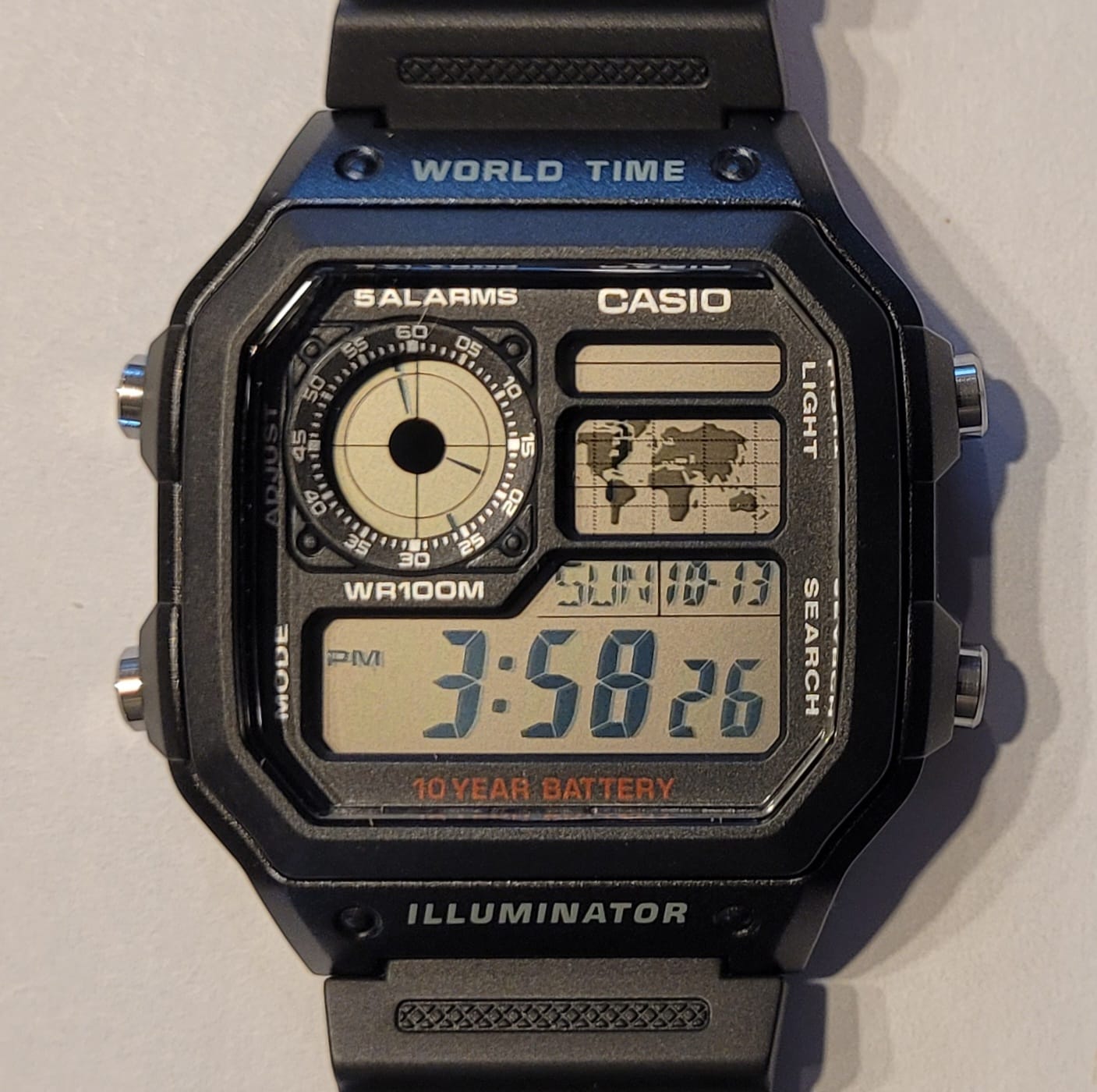
After surfracing from an hours-long YouTube rabbit hole, I started by using a white eraser to rub off all the wording from the case. I like Casios, but am not a big fan of how cluttered they make them with a ton of words. So off they came! Next, I opened the watch and removed the faceplate. Using Goo Gone, some QTips, and a ton of patience, I removed all words from the faceplate except the word Casio.
To get the llama logo over the analog clock display took a bit of effort. I went to Staples and printed a sheet with the logo printed white over black in a number of sizes, hoping that one of them would fit. Staples has laser printers, which make a much sharper image. I had tried my inkjet printer but everything came out fuzzy. Once I found the right size, I used double sided tape to secure the logo in place. Then I used a green gel from a photography flash bundle to make the whole display green. Here’s what it looked like with the gel and the blurry image from my inkjet printer: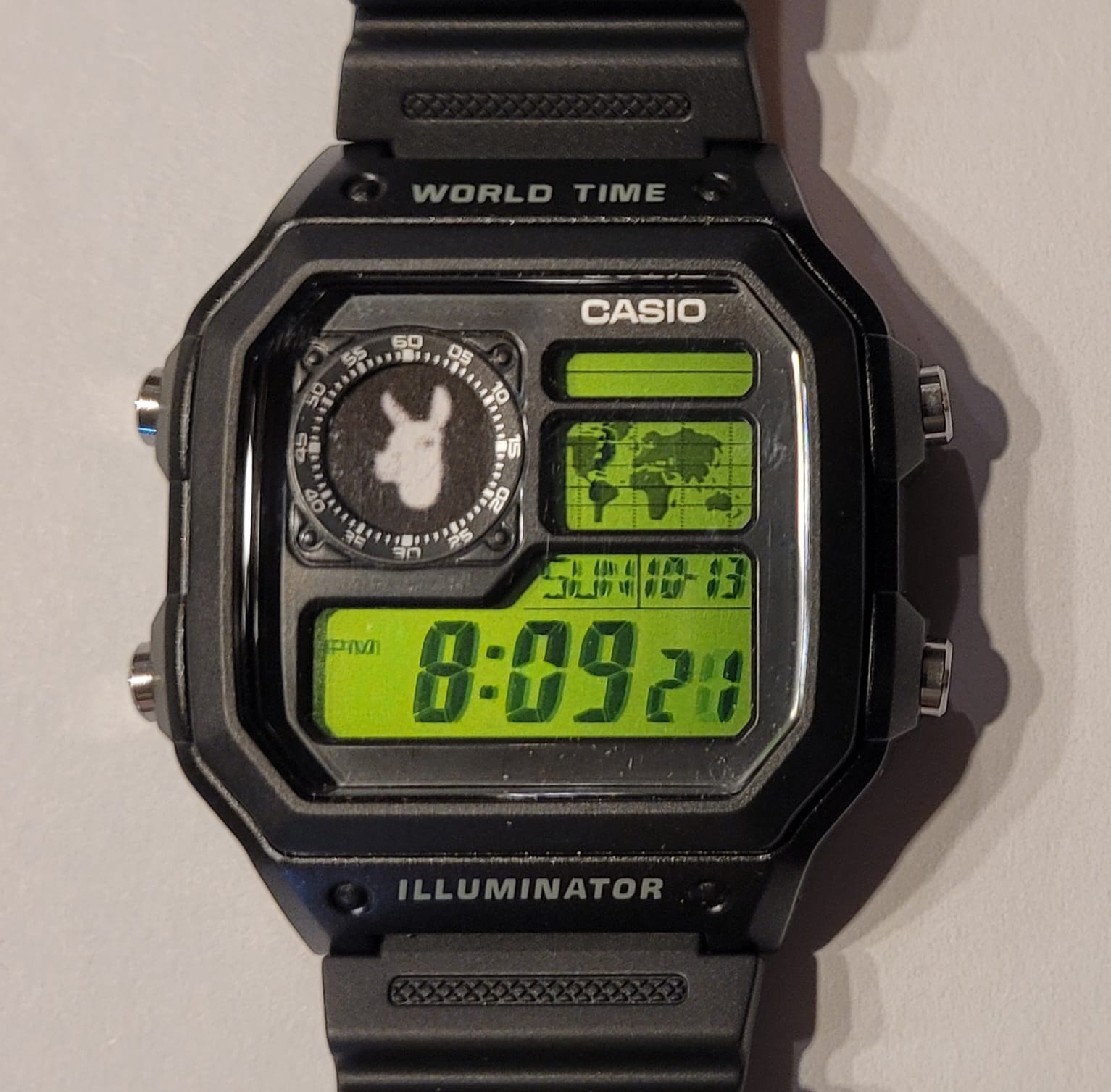
This looke fine, but I tired of the green after a few days. I liked the concept of the negative display mod, where you invert the display so everything that is black will be grey and vice versa. So I removed the green gel and set to work on doing a negative mod.
For this mod you have to remove the polarizing film that is glued to the LCD, and replace it with another one, but you rotate the film to change the appearance. Once the colors flip, you secure the film in place, put the whole thing back together, and you have a negative display mod. Easy! After making the change, I found that the look of the display was not very clear, so I decided to put it back to its original display. However, I discovered that if I used the original film that I had removed and flipped it over, it gave me the negative display I wanted, and it looked much clearer! I cut the film to leave the map display as positive, since if you make it negative the map disappears.
This is the LCD display mid-surgery. I didn’t bother with the analog clock since that was getting covered by the logo.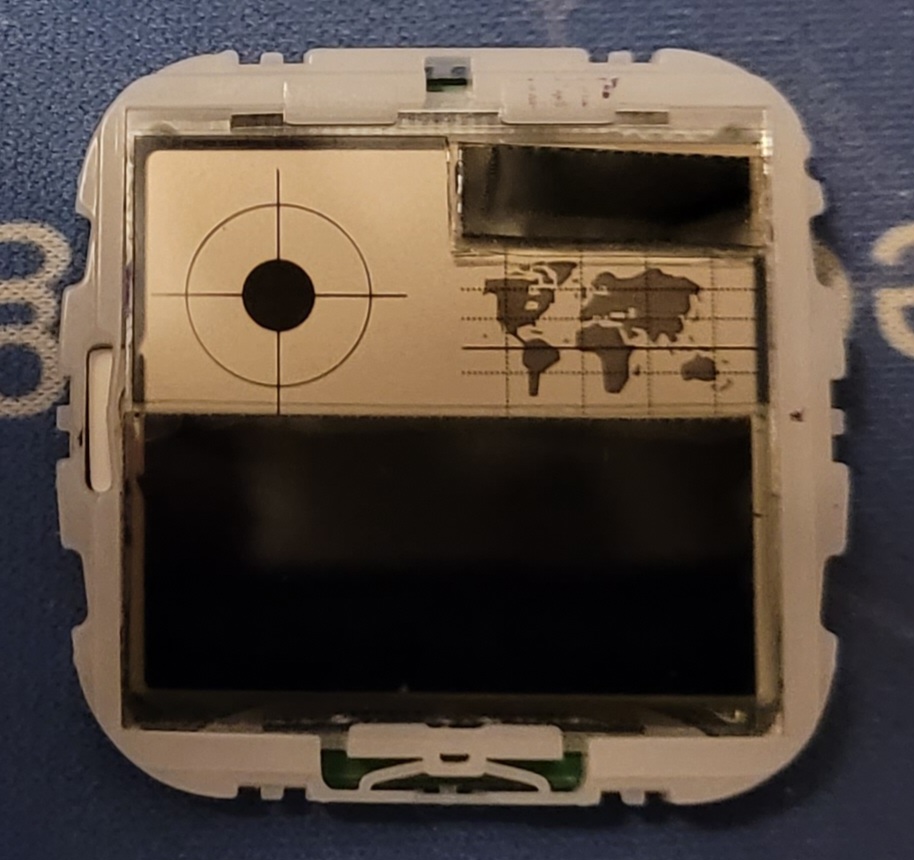
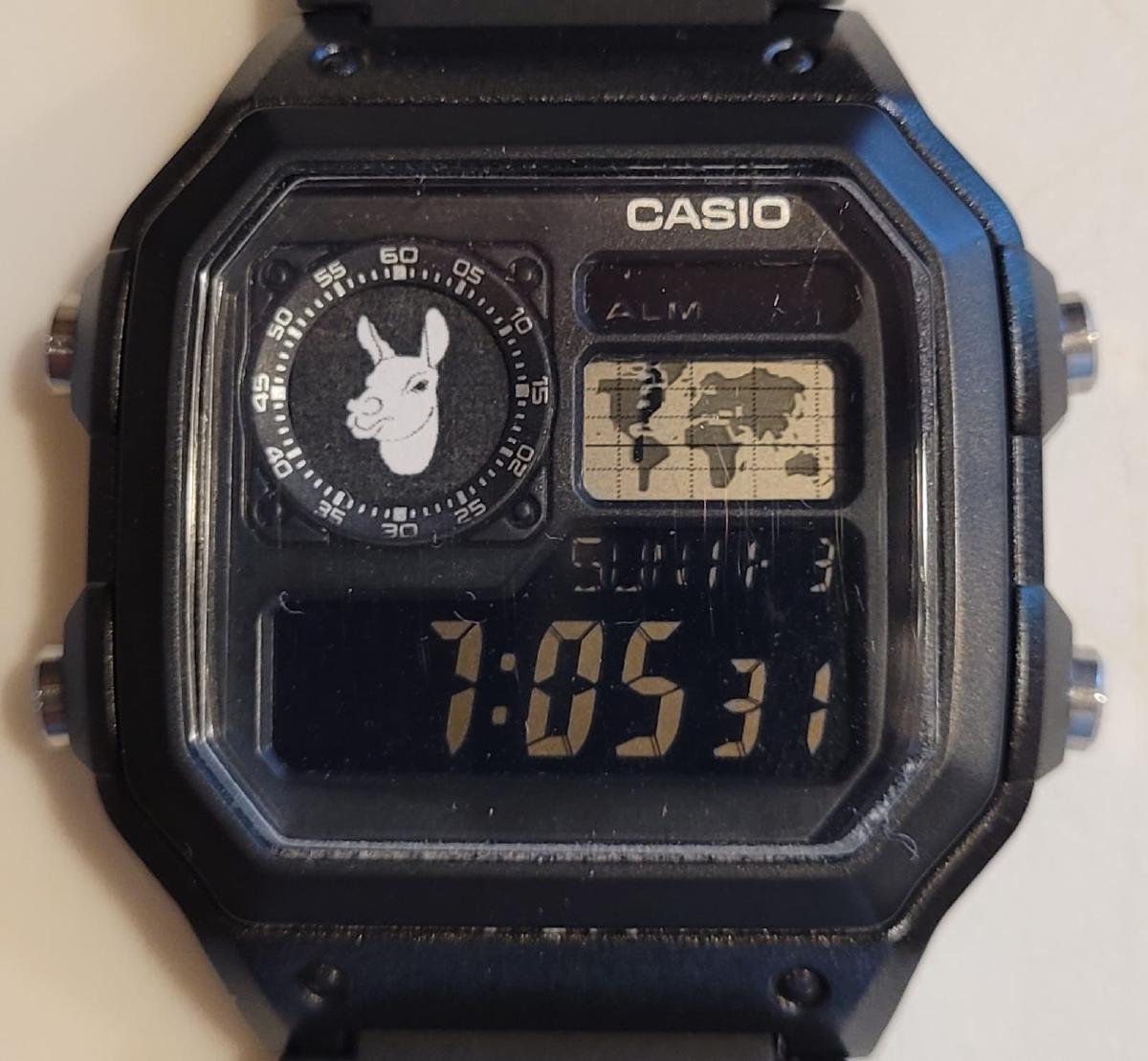
Here is what it looked like after completing this mod. Note how much clearer the logo is when printed in a laser printer.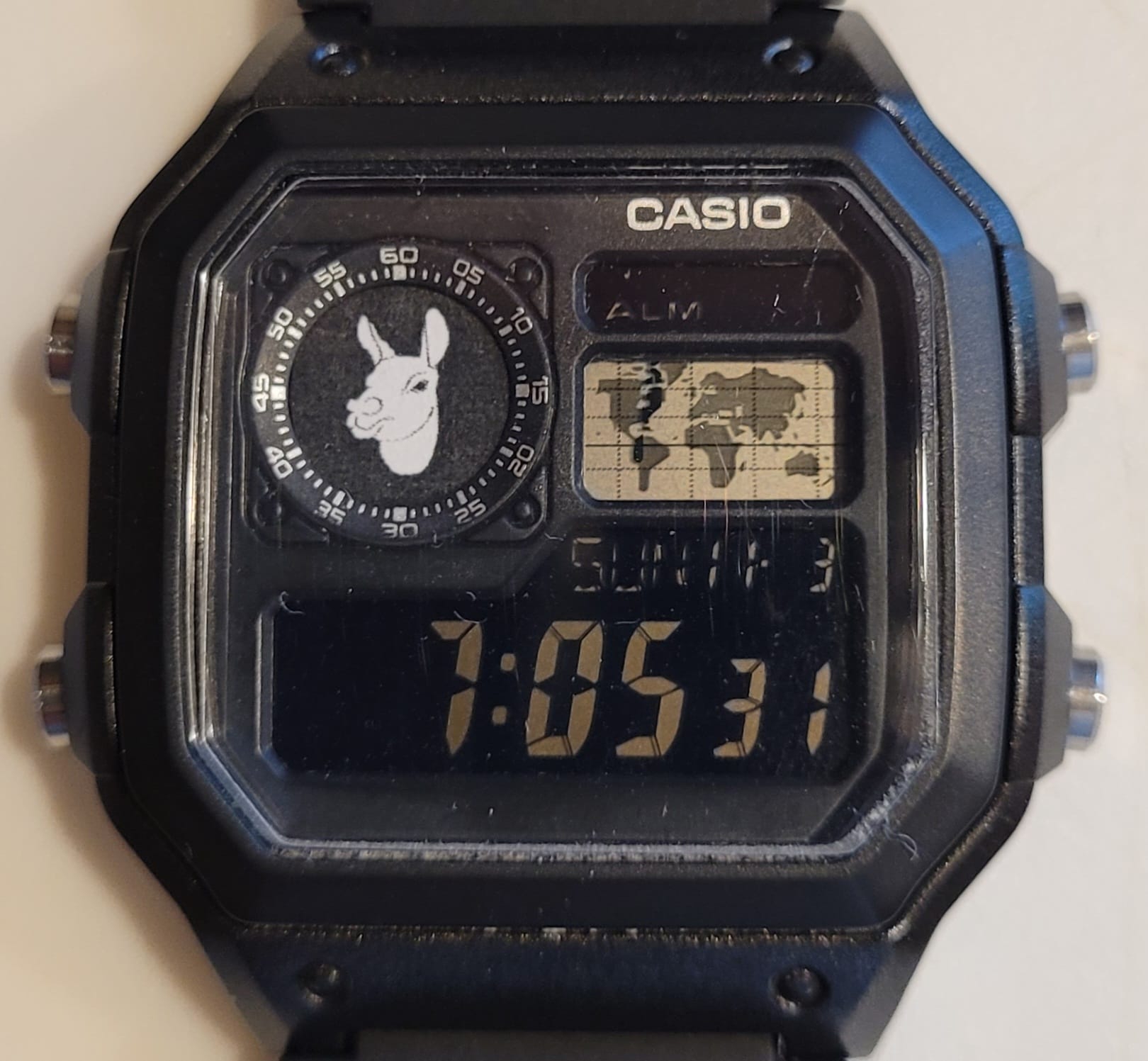
And since this watch has an orange LED on each side, when you light it up in the dark it looks even better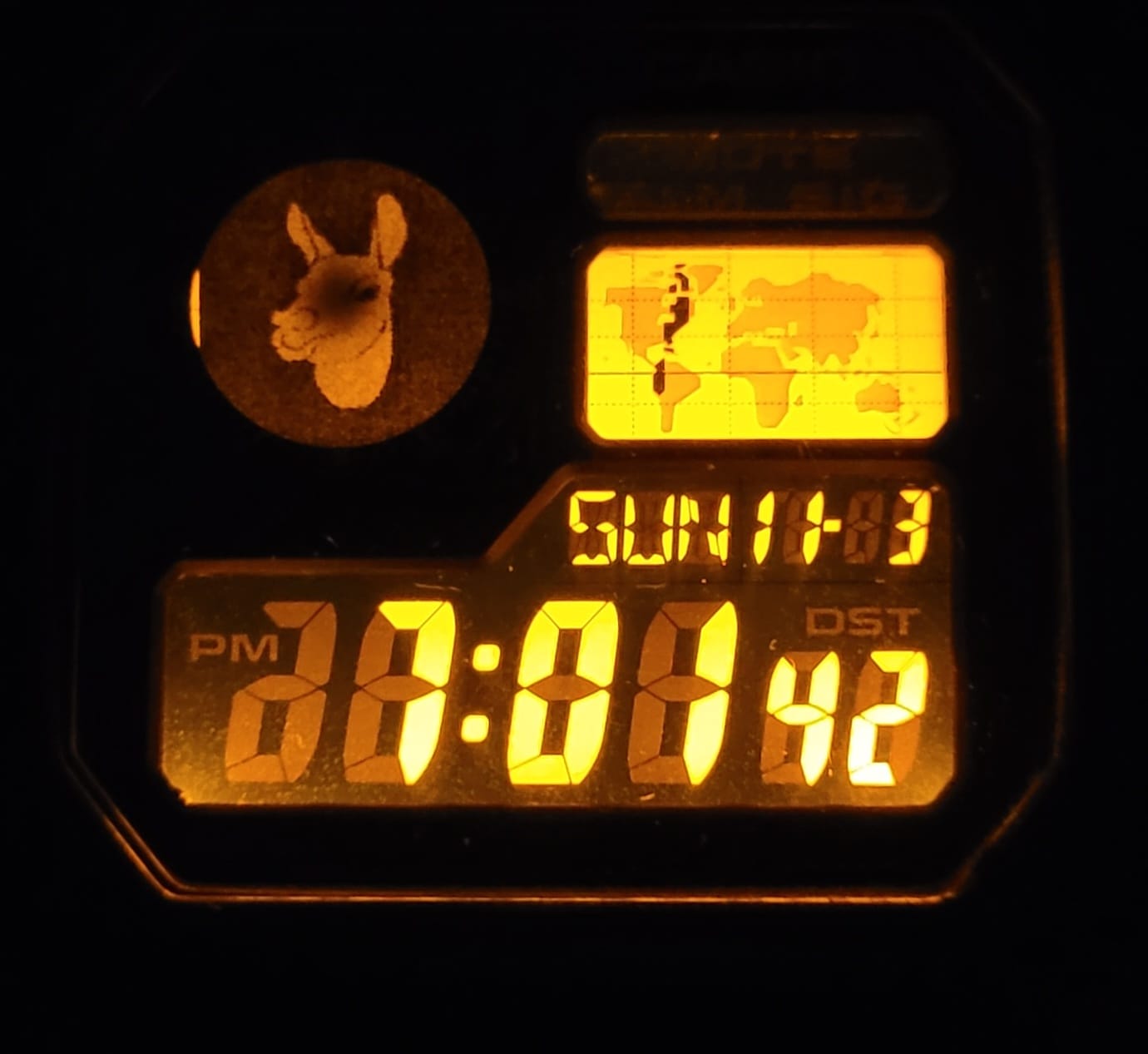
Unable to leave this watch alone, I made a couple of 3D printed faceplates for it. Those are described here.